Backup and clean
your workstation.
You shouldn't need to open ten folders to find a single photo. Drop your backups into Sort, pick your folder structure, and it handles the rest — duplicates included."
No account needed. Works offline. Available for Windows and macOS.
What Sort does to your files
                    📁 backup_2026_final.zip
                    📁 backup_2026_FINAL_v2.zip
                    📁 phone_dump_march.zip
                    📁 misc_photos_unsorted.zip
                    📁 2026 / March / 14 / IMG_4821.jpg
                    📁 2026 / March / 14 / IMG_4822.jpg
                    📁 2025 / December / 03 / VID_0031.mp4
                    ← IMG_4821.jpg (Duplicate skipped)
How it works
Three steps and you're done
Get up and running within seconds. Our intuitive design prevents complicated setup screens.
Download and open Sort
No installation needed. Unzip and launch — it runs directly on Windows and macOS, no account required.
Configure File Paths
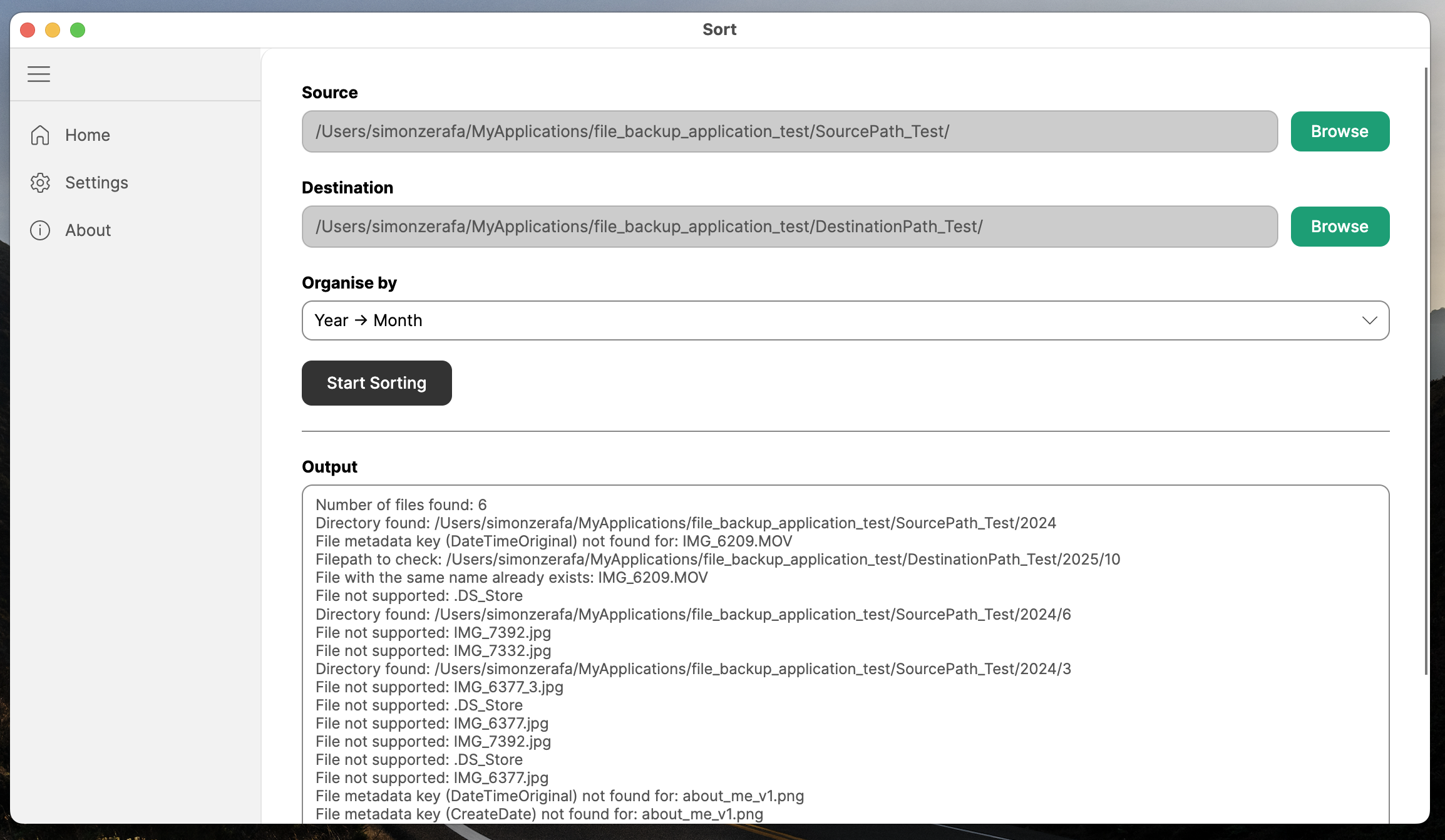
Set your source and destination. Sort handles the structure - Filter by Year → Month, or go deeper with Year → Month → Day.
Hit start and review the results
Sort moves every file into its date folder and shows you exactly what was organised — and what was skipped as a duplicate.
DOWNLOAD
Get Sort for free
Choose your platform and you'll be sorting photos in under a minute.
Changelog
Release Notes
Stay up to date with every improvement, fix, and feature we ship.
Already using Sort?
60 seconds that shape what we build next
Sort is free today. We're deciding whether to build a Pro version — with features like cloud backup, AI duplicate detection, and face recognition — on a subscription. Your answers show us what matters most - and what to prioritise first.
Contact
Get In Touch
Have a question, found a bug, or want to share feedback? We read every message — generally within 24 hours.